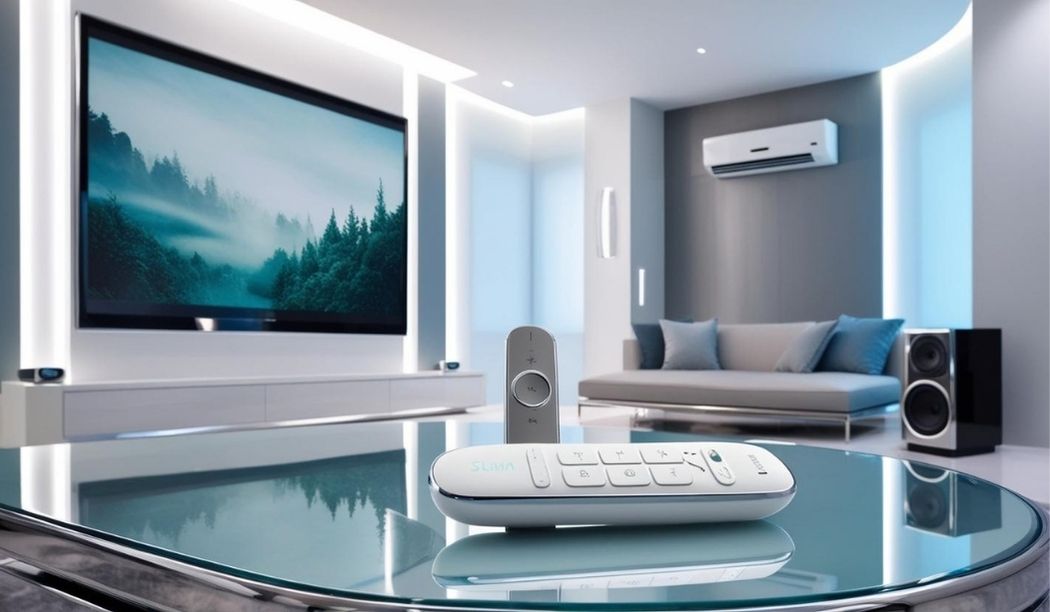
Smart Home Remote: Solution to Lost Remote Woes ?
My living room is a black hole. I truly believe it. Last month, my AC remote vanished during a heatwave, and the TV remote followed (maybe they’re friends?). I spent hours dusting furniture—the only upside was a sparkling sofa. I shoved my hand into creepy crevices, to look for these two remotes while getting increasingly annoyed. Sounds familiar?
That’s why I decided to dive deep into smart home remotes, devices that control your AC, TV, and more via one hub. They can sound like the best solution but they are not flawless, at least not yet.
Here’s our take on their convenience, issues, and three top picks to tame your remote chaos, with tips on who they’re for and who should skip them.
Why Smart Home Remotes Can Be A Saviour
Smart home remotes, like those from BroadLink or SwitchBot, streamline your setup. Key benefits to note are:
- One-Stop Control: Manage AC, TV, and streaming devices from a single app or hub, reducing remote clutter.
- Voice Commands: Pair with Alexa or Google Assistant to say, “Cool the room” or “Play Netflix.” My Echo Dot now runs my AC hands-free. Thanks Alexa!
- App Backup: Your phone becomes a remote via apps like BroadLink IHC or Amazon Fire TV, saving you when hardware’s lost.
- Scheduling: Program your AC to cool before you arrive or TV to shut off at night, cutting energy costs. Forgot the water heater and headed out ? No worries, they got you.
My new BroadLink RM4 Pro ended the harrowing couch hunts. I control my old AC and smart TV from my phone, and my living room’s never been cooler. Though I have been able to automate only my living room as yet.
The Downsides? Not All Smooth Sailing
Smart home remotes have hiccups. Few that’s been noticed early on:
- Setup Struggles: Syncing devices requires Wi-Fi, apps, and sometimes manual IR code entry. Off-brand devices can be quite a struggle.
- Connectivity Dependence: No Wi-Fi, no control. A router glitch can leave you sweating all night.
- Compatibility Gaps: Some devices, like obscure ACs, aren’t supported without extra hubs, adding costs.
- Hardware Quirks: Physical remotes can have dim screens or short battery life.
These issues frustrate non-techies & techies all alike. You may almost quit when AC’s codes fail, but persistence (and a manufacturer email) can save increment your convenience level in the long run.
Read More: A “Healthspan” Game-Changer by Whoop
Top Smart Home Remote Picks for 2025
Here are three solid options, with ideal scenarios and also a look into who should steer clear of these:
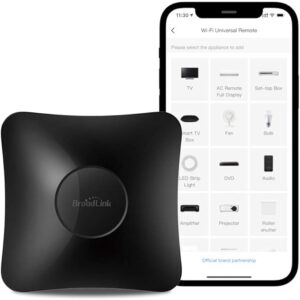
1. BroadLink RM4 Pro ($44.99)
-
- Features: Controls IR and RF devices (ACs, TVs, fans) via the IHC app. Supports Alexa, Google Assistant, and schedules.
- Ideal Scenario: Perfect for budget-conscious tech enthusiasts with multiple IR devices (e.g., older ACs, TVs) in a small apartment. Works best with stable Wi-Fi and mainstream brands like Samsung or LG.
- Who It’s Not For: Non-techies who hate app-based setup or those with niche devices lacking IR code support. Not ideal for weak Wi-Fi homes.
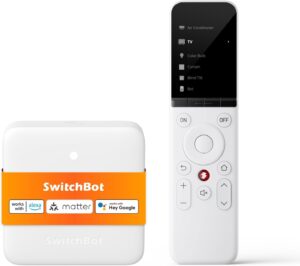
2. SwitchBot Universal Remote with Hub Mini ($99.99 bundle)
-
-
- Features: Controls IR, Bluetooth, and SwitchBot devices via a touchscreen remote and app. Includes Hub Mini for voice control (Alexa, Google Home).
- Ideal Scenario: Suits families or home theater buffs with mixed devices (Apple TV, AC, smart lights) and a robust Wi-Fi network. Best for voice-control lovers who want a physical remote. If you are used to Alexa, go for it.
- Who It’s Not For: Budget shoppers or those with simple setups (e.g., just a TV). Setup complexity and hub reliance deter tech novices.
-
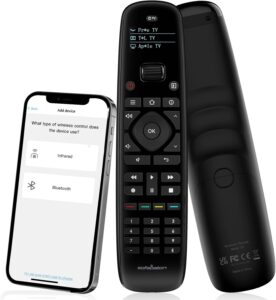
3. SofaBaton U2 ($69.99)
-
- Features: Universal remote with hub for IR and Bluetooth devices (TVs, gaming consoles). Backlit buttons, scroll wheel, and app for programming.
- Ideal Scenario: Great for streamers juggling TVs, Rokus, or soundbars in a media room with hidden AV gear.
- Who It’s Not For: Those needing RF control (e.g., curtains) or impatient users who dread programming macros. Lacks advanced smart home integration.
Avoid Headaches by Picking Wrong Remote
- Verify Compatibility: Check your device’s IR/RF codes online before buying. BroadLink and SwitchBot have wider libraries.
- Ensure Wi-Fi: A strong network is crucial. I added a mesh router to fix dropouts.
- Start Simple: Use phone apps (e.g., Fire TV) as a free trial before investing.
- Read Reviews: Check Amazon for user feedback on setup and device support.
Techizta Verdict
A smart home remote can kill your couch-diving days. Controlling your AC and TV with a tap or “Alexa, cool it” is pure bliss, and schedules save energy. But setup woes, Wi-Fi reliance, and compatibility issues mean they’re not for everyone nor they’re foolproof. Tech-savvy users with mainstream devices and solid Wi-Fi will love picks like the BroadLink or SwitchBot. If you’re not techy or have oddball gear, stick to traditional remotes.
About the Author: Aditi Sharma

Disclaimer
Techizta publishes content submitted by third-party agencies, partners, and clients. Any such posts are categorized and tagged accordingly:
- Sponsored Content: Posts labeled as "Sponsored" are paid placements submitted by third-party agencies or clients. Techizta does not endorse or express any views regarding the information contained in these posts. The opinions expressed belong solely to the respective authors and do not reflect the official policy or position of Techizta.
- Press Releases: Posts labeled as "Press Release" are paid PR submissions provided by our partners and clients. These are published as received and should be considered as promotional content.
The information provided in such posts is strictly for informational purposes only and should not be interpreted as buying recommendation, or professional advice. Techizta does not recommend, endorse, or promote any specific products, services, or companies mentioned. Readers are strongly encouraged to conduct independent research and consult with a qualified professional before making any decisions.
Additionally, all featured images accompanying such posts are intended as creative depictions of the subject matter. There is no intent to offend or misrepresent any individual, institution, or entity. If any content or imagery is found to be objectionable, please reach out to us at [email protected], and we will promptly review the concern.




Get Smart Insights In Inbox
Stay ahead of the curve with expert analysis and latest smart tech updates.