Another Massive Password Leak: Here’s What You Can Do (Before It’s Too Late)
Imagine waking up to dozens of strange login alerts, bank messages you didn’t authorize, or someone impersonating you online. It’s not just the stuff of movies anymore. In 2025, we’re staring at yet another massive password leak—millions of credentials dumped onto the dark web. If it feels like this is happening more often, you’re absolutely right.
A Quick Trip Down Breach Lane…
Do you remember the Yahoo breach from 2013 that exposed 3 billion accounts? (or am I just too old?) Or maybe the infamous 2019 “Collection #1” leak that threw over 770 million email-password combos into the wild? I was definitely part of the list. These incidents shook the tech world—and our personal lives. One friend lost access to her Amazon account for weeks, only to discover someone in another country had been shopping on her dime.
Recently, one fine day, I got a notification somebody from Sweden is trying to log into my Amazon account. Luckily, I had alerts on and could act quickly. But let’s break down what can go wrong from somebody just log into my Amazon account:
- Access to all my addresses and any other address of friends and family I may have added along with their name & contact details
- Amazon Pay access and gift card balances – using any credits that I have on it
- Access to all my saved payment methods and I have so many of my cards and even sister’s added to it
- Peak into my order history – My amazon account is reflection of 70% of my personality
- Prime Video access & abuse
All this from just a shopping account. Coming back to my point, these leaks aren’t just headlines. They’re cautionary tales.
And yet, here we are again in 2025. Credentials from major services—streaming platforms, e-commerce sites, even educational institutions—have reportedly been exposed. If you use the same password across multiple accounts, you could be vulnerable even if the breached site isn’t one you visit. And I think, all of us are guilty of having same password at one point or other.
What Makes Recent Leaks Different?
This time, security researchers are alarmed because the leaked data includes not just usernames and passwords, but also IP addresses, locations, and device fingerprints. That’s a lot more than just your email and password—it’s enough to launch targeted attacks like phishing or even identity theft. In addition, the 19 billion number is extremely alarming, it is not one of those things that cannt happen to you. It is very likely it is happening as I type this. This is your wake-up call.
How to Tell If You’ve Been Compromised
Let’s get interactive: visit Have I Been Pwned and punch in your email. It’s free, safe, and backed by cybersecurity pros. This tool scans your email against known data leaks. If your account shows up, it’s time to take action.
Read more: Unlock the power of Canva
Why Google Chrome’s Password Manager Isn’t Bulletproof?
A lot of us rely on Chrome to remember passwords. It’s easy, right? But here’s the catch: if someone gains access to your Google account—say, from a phishing email—they could potentially unlock all your saved credentials. I have strictly stopped using it and reverted back to good old method of writing them down into my secured pocket diary (please don’t came at me, my memory is fading).
Apple’s Passkey system, on the other hand, is a bit more secure. It uses Face ID or Touch ID to confirm your identity, and credentials are stored in your iCloud Keychain with end-to-end encryption. Still, no system is 100% foolproof.
Password Hygiene: The Digital Detox You Need
If you haven’t done a full password spring-cleaning, now’s the time. Here’s what you should do right now:
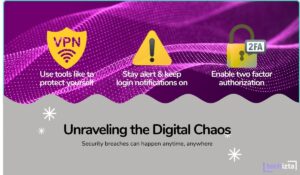
- Stop Reusing Passwords. Each account should have its own unique password.
- Enable Two-Factor Authentication (2FA) everywhere—email, banking, social media.
- Use a Password Manager. Bitwarden and 1Password are both fantastic. They generate complex passwords and store them securely.
If you’re worried about inconvenience that comes with these extra steps, think of it like brushing your teeth. Takes a few minutes but saves a lot of pain later. And, we have all been there, painfully so.
VPN: Your Digital Cloak of Invisibility (Yes, Even If You’re Skeptical)
Let’s be honest—if you’re anything like me, you’ve probably rolled your eyes at the endless stream of influencers pushing VPNs. It almost feels scammy, like the digital version of snake oil. But as always, I took one for the team and dug deeper. Actually used 3 VPNs properly, I realized it can be a powerful privacy tool—if you choose a reliable one. My normal instinct directed me to few free VPNs as well but those I won’t recommend for anything other than occasional access to streaming service. But honestly, not even that.
I’ve personally used NordVPN for the last year, and despite my initial skepticism, it’s worked surprisingly well. Not only does it encrypt your internet connection (especially useful on sketchy public Wi-Fi), but it also has a great extra feature: it alerts you if your email address appears in a leaked database. That heads-up has saved me from potential headaches more than once, letting me change passwords before anything got serious. Also, it is a must when you are travelling and accessing wifi from cafes, airports, subways etc.
That said, I won’t pretend it’s flawless. While streaming for long periods, I’ve noticed the occasional connection drop or slower speeds. So I wouldn’t fully vouch for it as a 24/7 browsing companion—but as a security and awareness tool, it has definitely earned its spot in my toolkit.
Another solid option is ExpressVPN, especially if you’re looking for speed and a smoother experience for things like Netflix or gaming. Just make sure whichever VPN you choose isn’t some random free version from an app store—those can actually compromise your privacy instead of protecting it. These do come at a cost so I understand not everybody opting for it, but for the times you are travelling, I strongly recommend it.
Both these VPNs come with 30 days money-back guarantee so if nothing, try using it for short period to see if you are able to utilize the services.
How to Stay Ahead of the Next Leak
Leaks are inevitable. But being prepared makes all the difference. Consider setting up alerts with tools like:
- Have I Been Pwned – Sign up for breach notifications.
- Google Alerts – Set alerts for your name and email to catch impersonation.
- Credit Monitoring – Use services like Credit Karma to keep tabs on financial misuse.
And yes, check your spam folder regularly. Some of those “security alerts” might actually be legit.
Final Thoughts – This Is Your Digital Wake-Up Call
The web is wonderful—but it’s also wild. Password leaks will keep happening. What matters is how prepared you are. Treat your digital identity like your house: lock the doors, install a camera (aka, 2FA), and don’t leave the keys under the mat.
And if all else fails, remember this: no one ever regrets being too secure online. But plenty of people regret ignoring the warning signs.
Stay safe, stay smart—and maybe, finally, retire that “password123” for good
About the Author: Aditi Sharma

Disclaimer
Techizta publishes content submitted by third-party agencies, partners, and clients. Any such posts are categorized and tagged accordingly:
- Sponsored Content: Posts labeled as "Sponsored" are paid placements submitted by third-party agencies or clients. Techizta does not endorse or express any views regarding the information contained in these posts. The opinions expressed belong solely to the respective authors and do not reflect the official policy or position of Techizta.
- Press Releases: Posts labeled as "Press Release" are paid PR submissions provided by our partners and clients. These are published as received and should be considered as promotional content.
The information provided in such posts is strictly for informational purposes only and should not be interpreted as buying recommendation, or professional advice. Techizta does not recommend, endorse, or promote any specific products, services, or companies mentioned. Readers are strongly encouraged to conduct independent research and consult with a qualified professional before making any decisions.
Additionally, all featured images accompanying such posts are intended as creative depictions of the subject matter. There is no intent to offend or misrepresent any individual, institution, or entity. If any content or imagery is found to be objectionable, please reach out to us at [email protected], and we will promptly review the concern.



Get Smart Insights In Inbox
Stay ahead of the curve with expert analysis and latest smart tech updates.